
In today’s digital world, being connected comes with both opportunities and risks. Every click, download, or login can open the door to potential threats—whether it’s hackers stealing personal data, scams targeting your finances, or malware slowing down your devices. Online safety isn’t just for tech experts; it’s a skill everyone needs to protect themselves, their families, and their businesses.
Explore this topic: Iligan News & Community Hub
This practical guide will walk you through simple yet powerful cybersecurity habits—like using strong passwords, securing your Wi-Fi, and spotting online scams—that keep your information safe and your digital life worry-free. By making these steps part of your daily routine, you’ll be one step ahead of cybercriminals and fully equipped to enjoy the internet with confidence.

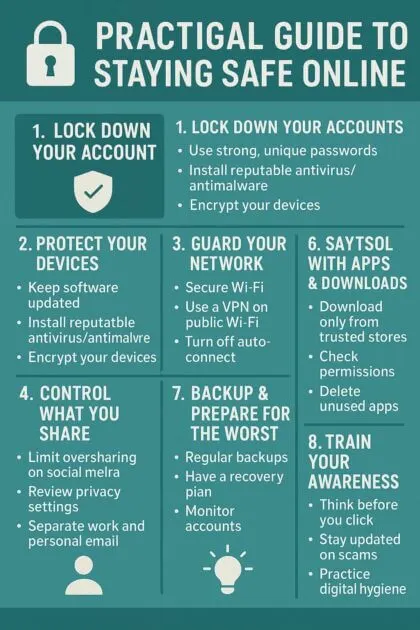
🔐 Practical Guide to Staying Safe Online
1. Lock Down Your Accounts
- Use strong, unique passwords: Mix uppercase, lowercase, numbers, and symbols. No birthdays, pet names, or “123456.”
- Password manager: Tools like 1Password, Bitwarden, or LastPass help you create and remember complex passwords.
- Enable Multi-Factor Authentication (MFA): Always turn on 2FA—prefer authenticator apps or hardware keys over SMS.
2. Protect Your Devices
- Keep software updated: Outdated apps and systems are hacker playgrounds. Enable automatic updates.
- Install reputable antivirus/antimalware: Defender, Malwarebytes, or Bitdefender can catch threats early.
- Encrypt your devices: Enable built-in encryption (FileVault on Mac, BitLocker on Windows).
3. Guard Your Network
- Secure your Wi-Fi: Change the default router password, use WPA3 if available.
- Use a VPN on public Wi-Fi: Protects against snooping in coffee shops, airports, or hotels.
- Turn off auto-connect: Stop your phone/laptop from automatically joining networks.
4. Be Smart With Emails & Messages
- Beware of phishing: Double-check sender addresses and links before clicking.
- Don’t open random attachments: Even if it looks like it’s from a friend—confirm first.
- Verify requests for money/info: Call or message directly if you get a suspicious request from “your bank” or “your boss.”
5. Control What You Share
- Limit oversharing on social media: Hackers use your birthday, location, or pet’s name to guess passwords.
- Review privacy settings: On Facebook, Instagram, TikTok, LinkedIn—limit who can see your posts and details.
- Separate work and personal email: Don’t use the same one for banking and random subscriptions.
6. Stay Safe With Apps & Downloads
- Download only from trusted stores: Google Play, Apple App Store, or verified websites.
- Check permissions: Does a flashlight app really need access to your contacts?
- Delete unused apps: Less clutter = fewer risks.
7. Backup & Prepare for the Worst
- Regular backups: Use cloud storage (Google Drive, iCloud, OneDrive) or external hard drives.
- Have a recovery plan: Know how to reset devices, recover accounts, and contact support.
- Monitor accounts: Check your bank, email, and social media for unusual activity.
8. Train Your Awareness
- Think before you click: Pause for 3 seconds on links or attachments.
- Stay updated on scams: Follow cybersecurity news or alerts.
- Practice digital hygiene: Like brushing your teeth, make security part of your daily routine.
✅ Golden Rule: If something feels off, don’t rush—verify before acting.
Final Thoughts
Staying safe online doesn’t have to be complicated—it’s about building smart habits and staying aware of the risks around you. From securing your passwords and devices to double-checking suspicious links, every small step adds up to a stronger digital shield. Remember, cyber threats are always evolving, but so can your defenses.
At the end of the day, the internet should be a place for learning, connecting, and growing—not worrying. So take charge of your digital safety, share these tips with family and friends, and make online security part of your everyday life.
👉 Stay alert, stay informed, and most importantly—stay safe online.